
Setting page titles correctly

Adding a title and description to every website page can take some work, but it is worth doing well. Fortunately, the BigBase management system makes it easier and faster.
Why add a page title?
A good title makes potential visitors more likely to open your page. Google often displays it in search results. Below is an example of an unappealing title and one that works better.

How do I set it?
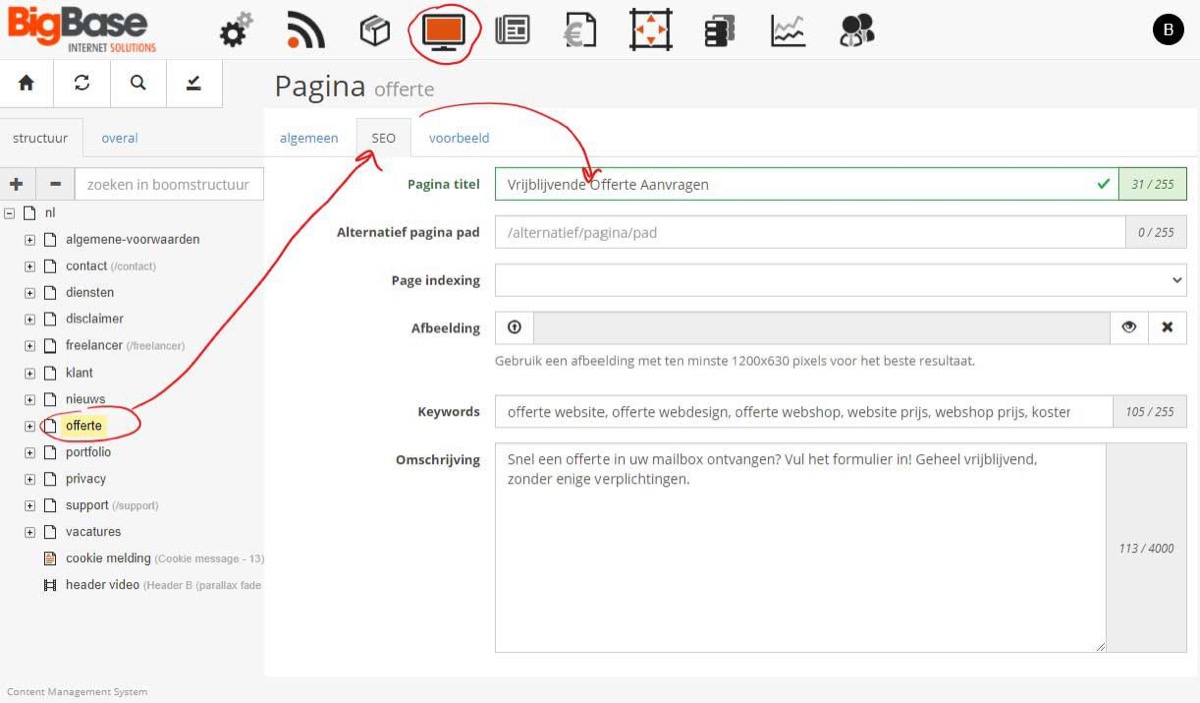
Google determines how your page appears in its results, but it commonly uses the title configured on the page. Every page has a name in the management system. Without a specific title, that name is used. This may be adequate, but there is usually room to improve it.
Enter a specific title in each page’s “SEO” tab, short for Search Engine Optimisation.
How can it be even easier?
A suffix is a common way to make titles clearer and more attractive. It might be your business name or a temporary promotion. For example, “Request a no-obligation quote” could become “Request a no-obligation quote | BigBase Internet Solutions”.
You may want this business name after every title. Instead of editing each page separately, configure a website-wide suffix.
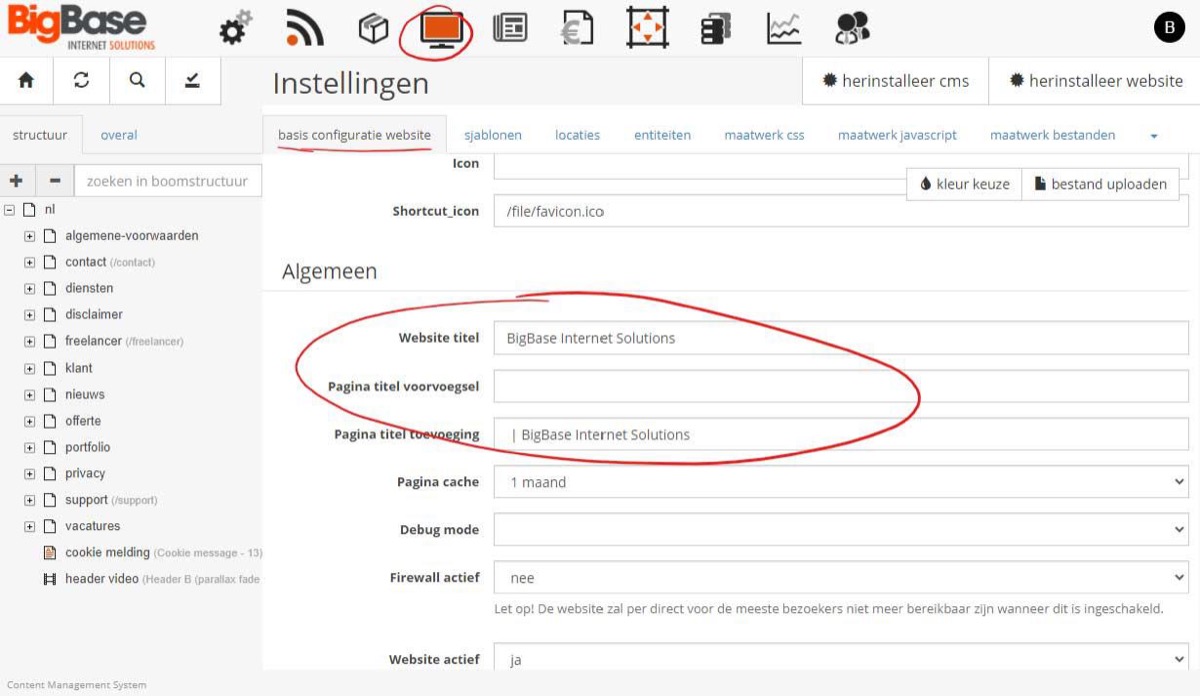
Open the CMS settings and scroll down in “Basic website configuration”. You will find:
- Website title: The general website title, added to a page name when no specific title is configured.
- Page title prefix: Text placed before the title on pages with a configured title. We generally do not recommend this.
- Page title suffix: Text placed after the title on pages with a configured title. This is the recommended approach.
This configuration is available from Base4 version 4.2.65. If you cannot find it, contact us. We may be able to configure it or update your system to make it available.