
Easy promotion on social media

Sharing a page on social media, such as Facebook or Twitter, can bring more attention to a news item, product, vacancy or ordinary website page. To share a standard page quickly and effectively, first configure a few details. Once that is done, sharing it across several platforms takes only about two minutes.
What exactly are we going to do?
The most important thing is relevant, interesting content. Publishing a post takes little effort, but if it does not suit your audience, that effort is wasted. More followers naturally help spread your message. Contact us for help building your following; that topic is outside the scope of this article.
If your product, vacancy or news content is already complete, you do not need to configure anything else. For an ordinary page, such as your company history or an explanation of your services, first enter some additional details. These help Google, Facebook, Twitter and other websites understand what the page contains.
How do we configure it?
Products, vacancies and news items can be shared immediately. For an ordinary page:
- Log in to the management system, open the website management module, find the relevant page and edit it.
- Open the “SEO” tab, which stands for search engine optimisation. The information entered here also benefits search engines. Complete the fields carefully:
- Page title: The title shown on social media and in Google. Make it clear and useful.
- Alternative page path: An alternative URL for the page. Use this sparingly, for example in advertising where a shorter address is easier to remember. A long address such as
bigbase.nl/service/diensten/zakelijk/drukwerk/bestellencould becomebigbase.nl/bestellen. - Page index: Specify here if the page should be excluded from search engines. You can leave the field blank. It can be useful when two pages cover the same subject and you want only one to appear in Google.
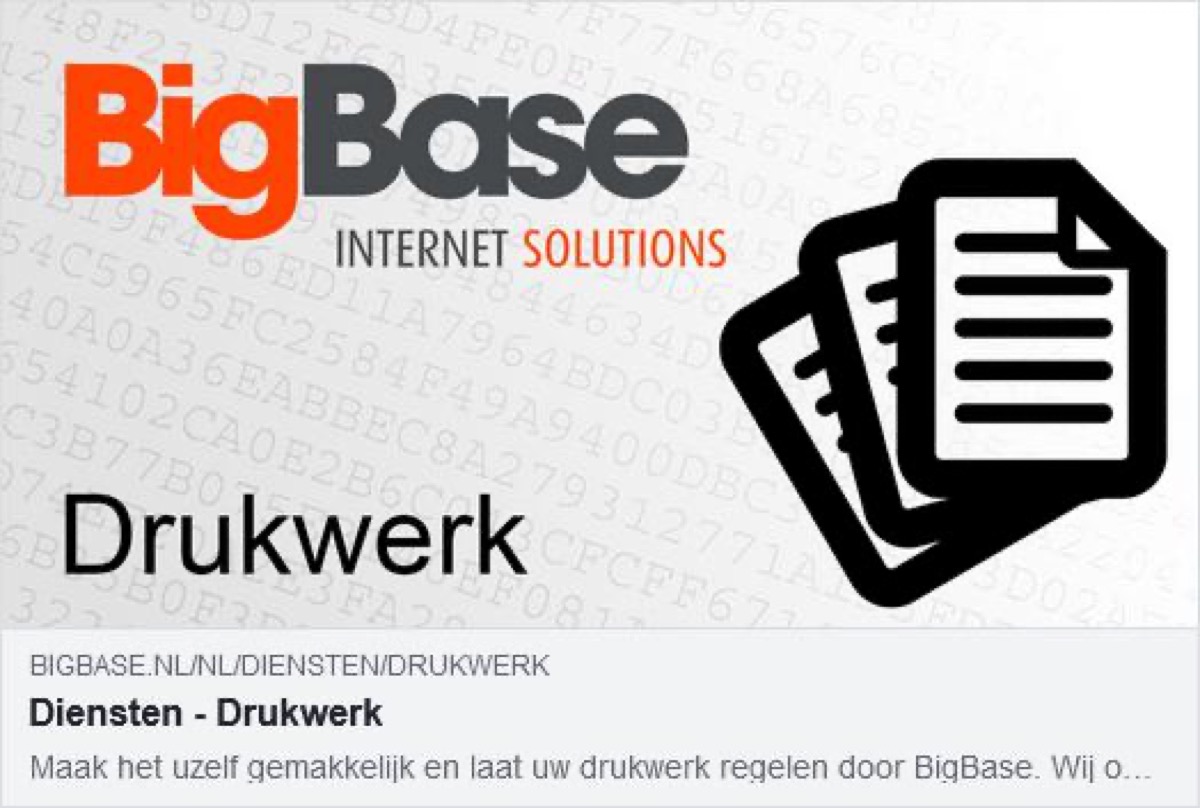
- Image: The default image loaded by social media. Together with the title, it is particularly important because an image quickly attracts attention.
- Keywords: The page’s important search terms. Enter these to help with relevant searches, particularly if the words do not already appear in the page text. Do not spend too long on this relatively minor field: Google and social media make little or no use of it.
- Description: A clear, concise explanation of the page’s content. It appears in Google search results and beside the image on social media. Keep it short enough to avoid being cut off by the external website.
How do we share a page on social media?
Open your website and go to the page you want to promote. Its URL appears in the browser’s address bar. Right-click the address and copy it.
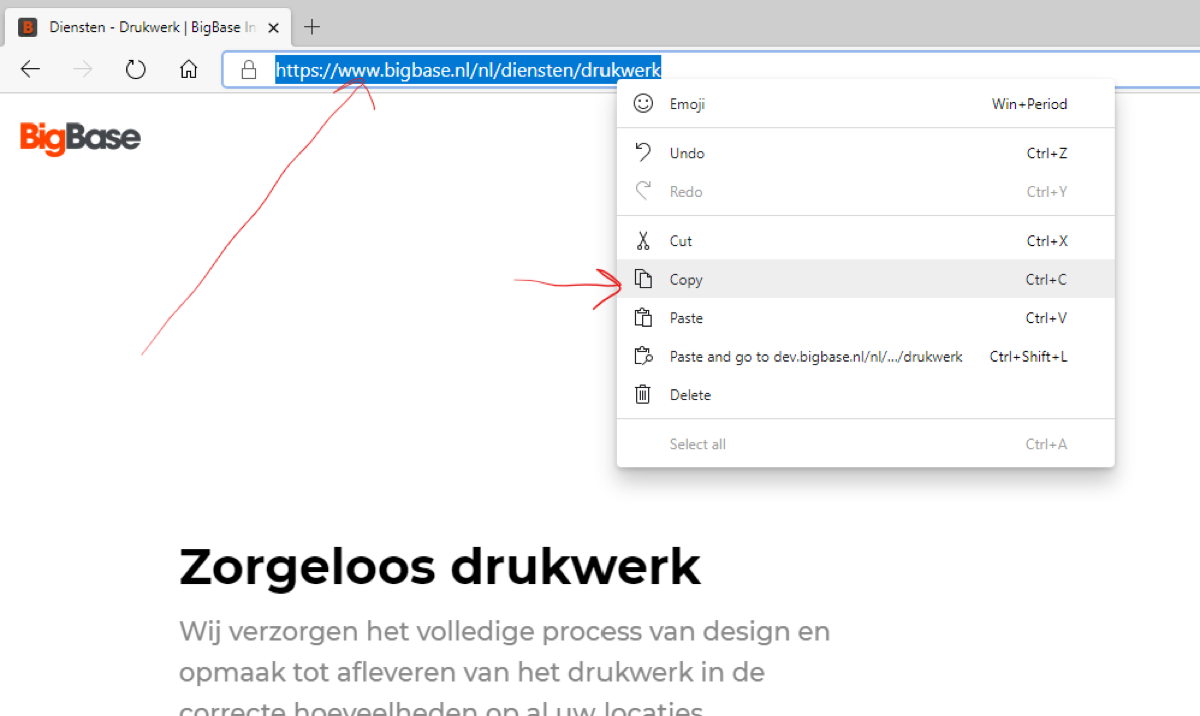
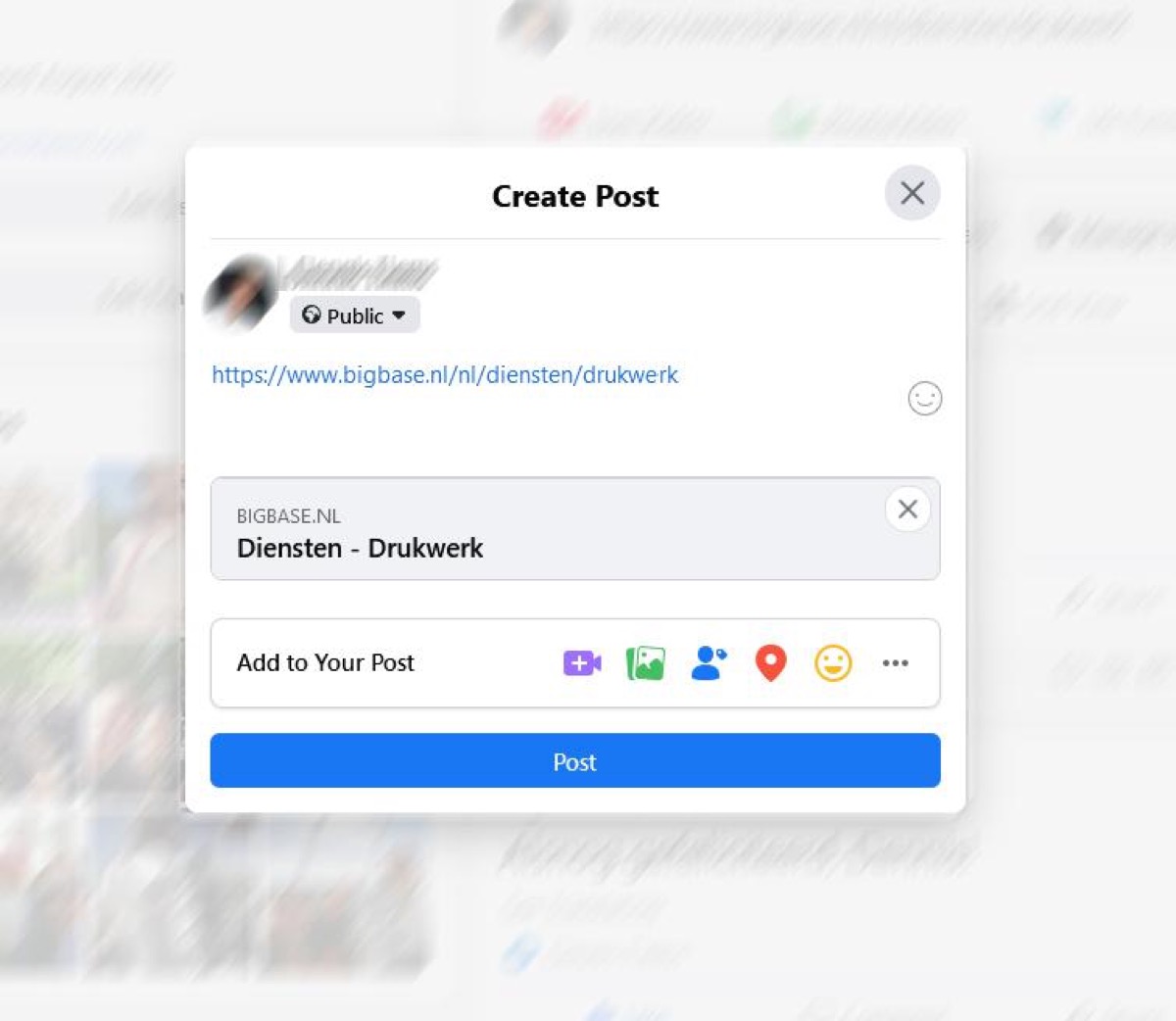
Open the social platform and paste the URL into the field for a new post. Here is an example on Facebook:
The results on Facebook and Twitter can look like this:

Done! Sharing a page on social media is that simple. If you need assistance, you can always ask us for help with your campaigns.